Game Boy Interface/Speedrunning Edition: Difference between revisions
| (24 intermediate revisions by the same user not shown) | |||
| Line 2: | Line 2: | ||
[[File:GBISR.png|thumb]] | [[File:GBISR.png|thumb]] | ||
Formerly the (ultra-)low latency version, '''Game Boy Interface Speedrunning Edition''' ('''GBISR''') features a simplified video renderer, and aims to meet the needs of most [[wikipedia:Speedrun|speedrunning]] communities. | Formerly the (ultra-)low latency version, '''Game Boy Interface Speedrunning Edition''' ('''GBISR''') features a simplified video renderer compared to the [[Game Boy Interface/Standard Edition|standard edition]], and aims to meet the needs of most [[wikipedia:Speedrun|speedrunning]] communities. | ||
<div class="toclimit-4"> | <div class="toclimit-4"> | ||
| Line 711: | Line 711: | ||
| Inverse sharp bilinear interpolation | | Inverse sharp bilinear interpolation | ||
|} | |} | ||
; {{anchor|--palette|--no-palette}}<code>--palette=<# | ; {{anchor|--palette|--no-palette}}<code>--palette=<#xrgb,#xrgb,#xrgb,#xrgb></code>, <code>--palette=<xxxx-xxxx-xxxx></code>, <code>--no-palette</code> | ||
: Apply [https://gamefaqs.gamespot.com/snes/588731-super-game-boy/faqs/58647 Super Game Boy] color palette (default: no). | : Apply [https://gamefaqs.gamespot.com/snes/588731-super-game-boy/faqs/58647 Super Game Boy] color palette (default: no). | ||
:* <code>--palette=719</code> Set color palette 2-H. | :* <code>--palette=719</code> Set color palette 2-H. | ||
| Line 1,762: | Line 1,762: | ||
==== Datapath VisionAV & VisionRGB ==== | ==== Datapath VisionAV & VisionRGB ==== | ||
===== GCVideo-DVI v2.4b and later ===== | |||
These settings provide a 90° 4× scaled image in a 3:4 720×480p59.7276 video output. | |||
<pre> | |||
--zoom=4:2 | |||
--rotate=90 | |||
--no-overlay | |||
--scaler=nearest | |||
--profile=srgb | |||
--format=custom,offset=0,scaled-size=0x0 | |||
--scan-mode=progressive | |||
</pre> | |||
* Capture Format: 8-8-8 | |||
* Rotation: 270° | |||
* Color Adjustments | |||
** Brightness: 32 | |||
** Contrast: 128 | |||
** Colour Domain: RGB (709) | |||
===== GCVideo-DVI v3.0 and later ===== | ===== GCVideo-DVI v3.0 and later ===== | ||
| Line 1,784: | Line 1,805: | ||
</pre> | </pre> | ||
* Capture Format: 8-8-8 | |||
* Rotation: 270° | * Rotation: 270° | ||
* Color Adjustments | * Color Adjustments | ||
| Line 1,810: | Line 1,832: | ||
</pre> | </pre> | ||
* Capture Format: 8-8-8 | |||
* Resolution and Refresh | * Resolution and Refresh | ||
** Width: 320 | ** Width: 320 | ||
| Line 1,866: | Line 1,889: | ||
These settings provide a 90° 4× scaled image in a 3:4 240p119.455 (27MHz÷866÷261) video output. | These settings provide a 90° 4× scaled image in a 3:4 240p119.455 (27MHz÷866÷261) video output. | ||
They require firmware v1.0rc10 or later. | They require firmware v1.0rc10 or later. <br /> | ||
These settings incur significantly higher latency than the [[Game Boy Interface/High-Fidelity Edition#RetroTINK-4K (CE)|high-fidelity edition]] to produce the same quality. | |||
If you're using GCVideo-DVI, under "Advanced settings", set "Fix resolution" to Off and "Digital color format" to YC422. | If you're using GCVideo-DVI, under "Advanced settings", set "Fix resolution" to Off and "Digital color format" to YC422. | ||
| Line 1,887: | Line 1,911: | ||
In the RT4K menu under "Profiles" and "Load Profile", select "Load Default". <br /> | In the RT4K menu under "Profiles" and "Load Profile", select "Load Default". <br /> | ||
In the RT4K menu under "Advanced Settings", " | In the RT4K menu under "Advanced Settings", "HDMI® Receiver Setup" and "Input Decimation", set "Input Pixels" to 4 (Output: 480) and "Initial Phase" to 3 of 4. <br /> | ||
In the RT4K menu under "Advanced Settings", "Scaling/Crop Setup" and "Input Crop", set "RoTATE (Beta)" to 90 Deg Left. <br /> | In the RT4K menu under "Advanced Settings", "Scaling/Crop Setup" and "Input Crop", set "RoTATE (Beta)" to 90 Deg Left. <br /> | ||
In the RT4K menu under "Advanced Settings", "Scaling/Crop Setup" and "Scaler", set "Aspect Correction" to 1:1 (Sq. Pixel). <br /> | In the RT4K menu under "Advanced Settings", "Scaling/Crop Setup" and "Scaler", set "Aspect Correction" to 1:1 (Sq. Pixel). <br /> | ||
| Line 2,127: | Line 2,151: | ||
== Changelog == | == Changelog == | ||
=== April, 2026 === | |||
* Added ext2, ext3, and partial ext4 support. | |||
* Added MemCard PRO GC support. | |||
* Added RAM disk support. | |||
=== October, 2025 === | |||
* Added FlipperMCE and GCMCE support. | |||
* Added GPT support. | |||
* Reduced power usage of USB Gecko wiiload server. | |||
=== August, 2025 === | |||
* Improved behavior with missing disc drive. | |||
* Improved exFAT support. | |||
=== June, 2025 === | |||
* Improved system stability. | |||
=== May, 2025 === | |||
* Added PicoBoot v0.5 payload. | |||
* Updated GBA ROM checksummer. | |||
=== March, 2025 === | |||
* Added support for other system memory configurations. | |||
* Enabled UART standard output for development hardware. | |||
=== January, 2025 === | |||
* Improved SD card performance. | |||
=== December, 2024 === | |||
* Improved SD card compatibility and performance. | |||
* Disabled UART standard output. | |||
=== November, 2024 === | |||
* Added exFAT support. | |||
* Enabled UART standard output. | |||
=== September–October, 2024 === | |||
* Added PicoBoot v0.4 payload. | |||
* Improved SD card compatibility and performance. | |||
=== June–August, 2024 === | |||
* Added SD2SP2 2.0 support. | |||
* Improved SD card compatibility and performance. | |||
* Enabled KunaiGC on exit. | |||
* Fixed crash after a large number of resets. | |||
=== May, 2024 === | |||
* Added ETH2GC Sidecar+ support. | |||
* Added SD2SP1 support. | |||
* Updated GBA ROM checksummer. | |||
* Converted 3D LUTs to IRIDAS/Adobe format for use with other software. | |||
=== November, 2023 === | === November, 2023 === | ||
Latest revision as of 14:08, 17 April 2026
| Information | |
|---|---|
| Author(s) | Extrems |
| Type | Utility |
| Version | Rolling release |
| Licence | All rights reserved |
| Links | |
|
Download main package Download extra package | |
| Website | |
| Discussion | |
| Source | |
 |
This software must not be sold, neither alone nor as part of a bundle. If you paid for this software or received it as part of a bundle following payment, you have been scammed and should demand your money back immediately. |
|
Firmware update notice for GCVideo products. It is strongly recommended to update to GCVideo-DVI v3.0 or later before using this software. GCVideo Lite products are not recommended under any circumstances. |

Formerly the (ultra-)low latency version, Game Boy Interface Speedrunning Edition (GBISR) features a simplified video renderer compared to the standard edition, and aims to meet the needs of most speedrunning communities.
Controls
Type A (two-handed)
| Nintendo GameCube | Nintendo GameCube Controller | Logitech Speed Force | Nintendo 64 Controller | Action |
|---|---|---|---|---|
| A/B Buttons | A/B Buttons or Accelerator/Brake Pedals | A/B Buttons | A/B Buttons | |
| Z Button | Z Button | Z Button | Select | |
| Y Button | Y Button | Select or Turbo | ||
| X Button | X Button | Start or Turbo | ||
| Start/Pause | Start/Pause | Start | Start | |
| +Control Pad or Control Stick | +Control Pad or Steering Wheel | +Control Pad or Control Stick | +Control Pad | |
| L/R Buttons | L/R Buttons | L/R Buttons | L/R Buttons (Only for Game Boy Advance) | |
| Reset Button | B, X and Start/Pause Buttons | B, X and Start/Pause Buttons | Z, R, A, B and Start Buttons | Power Switch |
| B, X and Start/Pause Buttons (Hold for 0.5 seconds) |
B, X and Start/Pause Buttons (Hold for 0.5 seconds) |
Z, R, A, B and Start Buttons (Hold for 0.5 seconds) |
Exit | |
| Reset Button | X, Y and Start/Pause Buttons (Hold for 1.5 seconds) |
L, R and Start Buttons | Recalibrate controller | |
| X, Y and Start/Pause Buttons (Hold for 3 seconds) |
Swap controls (Only with controller adapter) | |||
| C Stick Down | C Button Down | Toggle input viewer |
| DK Bongos Controller | Active Life Mat Controller | Action |
|---|---|---|
| Bottom Right/Left | Orange Up/Right | A/B Buttons |
| Hand Clap | - Button | Select |
| Start/Pause | + Button | Start |
| Top Right | Blue or Orange Square | +Control Pad Right |
| Top Left | Blue Left | +Control Pad Left |
| Blue Up | +Control Pad Up | |
| Blue or Orange Down | +Control Pad Down |
Type B (one-handed)
| Nintendo GameCube | Nintendo GameCube Controller | Nintendo 64 Controller | Action |
|---|---|---|---|
| A/B Buttons | A/B Buttons | A/B Buttons | |
| Z Button | Z Button | Select | |
| L Button | L Button | Select or Turbo | |
| R Button | R Button | Start or Turbo | |
| Start/Pause | Start | Start | |
| +Control Pad, Control Stick or C Stick | +Control Pad, Control Stick or C Buttons | +Control Pad | |
| Y/X Buttons | L/R Buttons (Only for Game Boy Advance) | ||
| Reset Button | B, X and Start/Pause Buttons | Z, R, A, B and Start Buttons | Power Switch |
| B, X and Start/Pause Buttons (Hold for 0.5 seconds) |
Z, R, A, B and Start Buttons (Hold for 0.5 seconds) |
Exit | |
| Reset Button | X, Y and Start/Pause Buttons (Hold for 1.5 seconds) |
L, R and Start Buttons | Recalibrate controller |
| X, Y and Start/Pause Buttons (Hold for 3 seconds) |
Swap controls (Only with controller adapter) | ||
| L, R, Z and +Control Pad Down | Toggle input viewer |
| DK Bongos Controller | Action |
|---|---|
| Bottom Right/Left | A/B Buttons |
| Hand Clap | Select |
| Start/Pause | Start |
| Top Left/Right | L/R Buttons |
Type C (Super Mario World: Super Mario Advance 2)
| Nintendo GameCube | Nintendo GameCube Controller | Nintendo 64 Controller | Action |
|---|---|---|---|
| B/Y Buttons | A/B Buttons | A/B Buttons | |
| Z Button | Z Button | Select | |
| Start/Pause | Start | Start | |
| +Control Pad or Control Stick | +Control Pad or Control Stick | +Control Pad | |
| X/A Buttons | B/R Buttons or Turbo | ||
| L/R Buttons | L/R Buttons | L/R Buttons (Only for Game Boy Advance) | |
| Reset Button | B, X and Start/Pause Buttons | Z, R, A, B and Start Buttons | Power Switch |
| B, X and Start/Pause Buttons (Hold for 0.5 seconds) |
Z, R, A, B and Start Buttons (Hold for 0.5 seconds) |
Exit | |
| Reset Button | X, Y and Start/Pause Buttons (Hold for 1.5 seconds) |
L, R and Start Buttons | Recalibrate controller |
| X, Y and Start/Pause Buttons (Hold for 3 seconds) |
Swap controls (Only with controller adapter) | ||
| C Stick Down | C Button Down | Toggle input viewer |
Type D (The Legend of Zelda: A Link to the Past)
| Nintendo GameCube | Nintendo GameCube Controller | Nintendo 64 Controller | Action |
|---|---|---|---|
| Y/B Buttons | A/B Buttons | A/B Buttons | |
| Start/Pause | Z Button | Select | |
| R Button | L Button | Select or Turbo | |
| L Button | R Button | Start or Turbo | |
| Z Button | Start | Start | |
| +Control Pad, Control Stick or C Stick | +Control Pad, Control Stick or C Buttons | +Control Pad | |
| X/A Buttons | L/R Buttons (Only for Game Boy Advance) | ||
| Reset Button | B, X and Start/Pause Buttons | Z, R, A, B and Start Buttons | Power Switch |
| B, X and Start/Pause Buttons (Hold for 0.5 seconds) |
Z, R, A, B and Start Buttons (Hold for 0.5 seconds) |
Exit | |
| Reset Button | X, Y and Start/Pause Buttons (Hold for 1.5 seconds) |
L, R and Start Buttons | Recalibrate controller |
| X, Y and Start/Pause Buttons (Hold for 3 seconds) |
Swap controls (Only with controller adapter) | ||
| L, R, Z and +Control Pad Down | Toggle input viewer |
Type E1 (swapped)
| Nintendo GameCube | Nintendo GameCube Controller | Nintendo 64 Controller | Action |
|---|---|---|---|
| B/Y Buttons | A/B Buttons or Turbo | ||
| X/A Buttons | A/B Buttons | A/B Buttons | |
| Z Button | Z Button | Select | |
| Start/Pause | Start | Start | |
| +Control Pad or Control Stick | +Control Pad or Control Stick | +Control Pad | |
| L/R Buttons | L/R Buttons | L/R Buttons (Only for Game Boy Advance) | |
| Reset Button | B, X and Start/Pause Buttons | Z, R, A, B and Start Buttons | Power Switch |
| B, X and Start/Pause Buttons (Hold for 0.5 seconds) |
Z, R, A, B and Start Buttons (Hold for 0.5 seconds) |
Exit | |
| Reset Button | X, Y and Start/Pause Buttons (Hold for 1.5 seconds) |
L, R and Start Buttons | Recalibrate controller |
| X, Y and Start/Pause Buttons (Hold for 3 seconds) |
Swap controls back (Only with controller adapter) | ||
| C Stick Down | C Button Down | Toggle input viewer |
Type E2 (swapped Super Mario World: Super Mario Advance 2)
| Nintendo GameCube | Nintendo GameCube Controller | Nintendo 64 Controller | Action |
|---|---|---|---|
| A/B Buttons | A/B Buttons | A/B Buttons | |
| Z Button | Z Button | Select | |
| Start/Pause | Start | Start | |
| +Control Pad or Control Stick | +Control Pad or Control Stick | +Control Pad | |
| Y/X Buttons | B/R Buttons or Turbo | ||
| L/R Buttons | L/R Buttons | L/R Buttons (Only for Game Boy Advance) | |
| Reset Button | B, X and Start/Pause Buttons | Z, R, A, B and Start Buttons | Power Switch |
| B, X and Start/Pause Buttons (Hold for 0.5 seconds) |
Z, R, A, B and Start Buttons (Hold for 0.5 seconds) |
Exit | |
| Reset Button | X, Y and Start/Pause Buttons (Hold for 1.5 seconds) |
L, R and Start Buttons | Recalibrate controller |
| X, Y and Start/Pause Buttons (Hold for 3 seconds) |
Swap controls back (Only with controller adapter) | ||
| C Stick Down | C Button Down | Toggle input viewer |
Type E3 (swapped The Legend of Zelda: A Link to the Past)
| Nintendo GameCube | Nintendo GameCube Controller | Nintendo 64 Controller | Action |
|---|---|---|---|
| B/A Buttons | A/B Buttons | A/B Buttons | |
| Start/Pause | Z Button | Select | |
| R Button | L Button | Select or Turbo | |
| L Button | R Button | Start or Turbo | |
| Z Button | Start | Start | |
| +Control Pad, Control Stick or C Stick | +Control Pad, Control Stick or C Buttons | +Control Pad | |
| Y/X Buttons | L/R Buttons (Only for Game Boy Advance) | ||
| Reset Button | B, X and Start/Pause Buttons | Z, R, A, B and Start Buttons | Power Switch |
| B, X and Start/Pause Buttons (Hold for 0.5 seconds) |
Z, R, A, B and Start Buttons (Hold for 0.5 seconds) |
Exit | |
| Reset Button | X, Y and Start/Pause Buttons (Hold for 1.5 seconds) |
L, R and Start Buttons | Recalibrate controller |
| X, Y and Start/Pause Buttons (Hold for 3 seconds) |
Swap controls back (Only with controller adapter) | ||
| L, R, Z and +Control Pad Down | Toggle input viewer |
Options
--offset=<x:y>- Set offset (default: 0).
--zoom=<x:y>- Set zoom (default: 2.0).
--rotate=<0-359>- Set rotation (default: 0).
--poll=<0-11>- Set controller polling rate. Use if your third-party controller or controller adapter is malfunctioning.
- Not applicable to Nintendo 64 Controllers using a passive connector adapter.
0: VSync (most compatible) 1: 1000Hz (default) 2: 500Hz 3: 350Hz 4: 300Hz 5: 250Hz 6: 200Hz 7: 150Hz 8: 150Hz 9: 125Hz 10: 125Hz 11: 100Hz
- Note: The polling rate will be doubled or halved in tandem with the refresh rate.
--turbo=<on:off>- Set autofire interval (default: 0).
- When non-zero, duplicate buttons act as turbo A/B Buttons.
--control=<P1[:P2[:P3[:P4]]]>- Set control scheme. The default is the Game Boy Player Start-up Disc's Controller setting (0 or 1).
--control=0:1:2:3Set control type A, B, C, D on controller socket 1, 2, 3, 4.--control=4Set control type E1 on all controller sockets.
- Note: A Game Boy Advance used as a controller is a Nintendo GameCube Controller.
--control-turbo=<bitmask>- Set which duplicate button acts as the turbo modifier key.
0: None (default) 1: A, Select or R Button 2: B, Start or L Button 3: Both
--control-spare=<bitshift>- Set function of L/R Buttons with Game Boy Game Paks.
- Normally used to switch between wide/normal screen mode.
0: None (default) 1: A/B Buttons 2: Select/Start 3: +Control Pad Right/Left 4: +Control Pad Up/Down 5: L/R Buttons
--control-rotate=<0-3>- Set rotation of +Control Pad.
0: 0° (default) 1: 90° clockwise 2: 180° 3: 90° counter-clockwise
--delay-reset=<N>- Set reset delay (default: 73).
--delay-video=<N>- Set video buffering (default: 1). Setting this option to 0 is not recommended.
--movie=<path>,--no-movie- Play input log (default: no).
--movie-record,--no-movie-record- Record input log (default: no).
--overlay=<path>,--no-overlay- Load texture palette for graphic overlays (default: frame-srgb.tpl.gz).
--overlay-id=<ID>- Set texture palette index for graphic overlay. The default is the Game Boy Player Start-up Disc's Frame setting (0 to 19).
--overlay-scale=<x:y>- Set texture scale for graphic overlay (default: auto).
--scaler=<nearest|bilinear|area|box>- Set image scaling filter. Setting this option to nearest is not recommended when using fractional scaling.
nearest: Nearest-neighbor interpolation (fastest) bilinear: Bilinear interpolation area: Sharp bilinear interpolation (default) box: Inverse sharp bilinear interpolation
--palette=<#xrgb,#xrgb,#xrgb,#xrgb>,--palette=<xxxx-xxxx-xxxx>,--no-palette- Apply Super Game Boy color palette (default: no).
--palette=719Set color palette 2-H.--palette=#8000,#AF3F,#FAB7,#FFFF
- Note: Press Left + B while the Game Boy logo is visible for proper application on original Game Boy Game Paks.
--lut3d=<path>,--no-lut3d- Load 32x32x32 lookup table in PNG file format (default: no).
- Overrides
--matrix,--input-gamma,--brightness,--contrast,--saturation,--hueand--blend. --lut3d-order=<rgb|gbr|bgr>- Specify lookup table order (default: gbr).
--profile-intent=<perceptual|relative|saturation|absolute>- Set color rendering intent (default: perceptual).
--profile=<srgb|gambatte|gba|gbasp|gbc|gbi|hicolour|higan|nds|palm|psp|sloop|vba>- Set quick color profile.
- Overrides
--matrix,--input-gamma,--output-gamma,--brightness,--contrast,--saturationand--hue.
srgb: Emulator gambatte: Gambatte / higan / ares gba: Game Boy Advance gbasp: Game Boy Advance SP (AGS-101) gbc: Game Boy Color gbi: Game Boy Interface (2015–2017) hicolour: Gameboy Hi-Colour Convertor higan: higan / ares nds: Nintendo DS palm: Palm Treo 700p psp: PlayStation Portable sloop: Game Boy Advance - Nintendo Switch Online vba: VisualBoyAdvance-M
--matrix=<identity|gambatte|gba|gbasp|gbc|gbi|hicolour|higan|nds|palm|psp|switch|vba>- Set color matrix (default: gbi).
- This translates the RGB color primaries to the standard RGB color space.
identity: Identity matrix gambatte: Gambatte / higan / ares gba: Game Boy Advance (by Pokefan531) gbasp: Game Boy Advance SP (by Pokefan531) gbc: Game Boy Color (by Pokefan531) gbi: Game Boy Interface hicolour: Gameboy Hi-Colour Convertor (by Pokefan531) higan: higan / ares nds: Nintendo DS (by Pokefan531) palm: Palm Treo 700p (by Pokefan531) psp: PlayStation Portable (by Pokefan531) switch: Nintendo Switch - OLED Model (by Pokefan531) vba: VisualBoyAdvance-M (by Pokefan531)
--daltonize=<normal|protan|deutan|tritan>,--anomalize=<normal|protan|deutan|tritan>- Set color blindness compensation and/or simulation (default: normal).
normal: Trichromat protan: Protanope deutan: Deuteranope tritan: Tritanope
--input-gamma=<red[:green[:blue]]>- Set gamma (default: 2.2).
- Overrides
--input-alpha. --input-alpha=<red[:green[:blue]]>- Set alpha for piecewise parametric curve (default: 0.0).
--output-gamma=<value>- Specify screen gamma (default: 2.2).
- Overrides
--output-alpha. --output-alpha=<value>- Specify screen alpha for piecewise parametric curve (default: 0.0).
--gamma=<even[:odd]>- Set gamma correction (default: 1.0).
--brightness=<red[:green[:blue]]>- Set lift (default: 0.0).
--contrast=<red[:green[:blue]]>- Set gain (default: 1.0).
--contrast=.811065673828125:.8790390491485595703125:1.D93 to D65, gamma 2.2.--contrast=1.:.92267322540283203125:.811065673828125D65 to D93, gamma 2.2.
--saturation=<value>- Set color saturation (default: 1.0).
--hue=<0-359>- Set color hue shift (default: 0).
--blend=<0.0-1.0>- Set alpha blending with accumulation buffer (default: 1.0).
--background=<#rrggbb>- Set background color (default: #000000).
--vfilter=<middle[:lower[:upper]]>- Set vertical filter coefficients (default: 1.0).
- Each lines are the sum of line n, n+1 and n-1.
--vfilter=.5:.25:.25Typical vertical low-pass filter.--vfilter=.5:.5:.0:.5:.0:.52:1 downsampling filter.
--volume=<left[:right]>- Set audio gain (default: 0.75).
- Note: GCVideo-DVI v2.4b and earlier reduces volume down to a quarter of this value.
--sound=<[mono|stereo][,digital|analog|original]>- Set sound mode. The default is the Sound Mode system setting (mono or stereo).
mono: Mono downmix stereo: Stereo
- Note: GCVideo-Lite has swapped audio channels.
digital- Use PWM decoder.
analog[=<a0:a1:a2:b1:b2>]- Use 2MHz biquad filter (default). Defaults to a second-order low-pass filter with a cut-off of 10kHz and a quality factor of √2 if not specified.
- This is used to simulate the RLC circuit on the Game Boy Advance's Headphone Jack, providing a treble boost.
original- Use low-pass filter similar to the Game Boy Player Start-up Disc.
--format=<[ntsc|pal|pal-m|ntsc-50|pal-60|custom|custom-m][,offset=<x:y>][,scaled-size=<WxH>][,size=<WxH>]>- Set video format. The default is the Video Mode or Progressive Scan Mode system setting (ntsc, pal-60, pal-m, or custom).
ntsc: NTSC-J pal: PAL-B/G/D/K/I pal-m: PAL-M ntsc-50: NTSC-50 pal-60: PAL-60
- Note: GCVideo-DVI is only designed to support NTSC-J, PAL-B/G/D/K/I and PAL-60.
AVE N-DOL can only output CVBS or Y/C as NTSC-J, PAL-M or NTSC-50.
AVE P-DOL can only output CVBS as PAL-B/G/D/K/I or PAL-60.offset=<x:y>- Set screen position. The default is the Screen Position system setting (-32 to +32).
- Note: Odd positions will cause CB to be shifted right and CR to be shifted left with GCVideo-Lite or GCVideo-DVI v2.4c and earlier.
The screen position is shifted left by 4 pixels with GCVideo-DVI v2.4d and earlier. scaled-size=<WxH>- Set screen size. The default is 704:480 for 60Hz formats and 704:576 for 50Hz formats.
- Note: 3 pixels on the right edge of the screen are blanked out with GCVideo-DVI v2.4d-2 and earlier.
size=<WxH>- Set internal resolution (default: 640:480). The maximum is 640:528.
--scan-mode=<[interlace|quasi-interlace|non-interlace|non-progressive|progressive][,clock2x|no-clock2x][,size2x|no-size2x][,strobe|no-strobe]>- Set scan mode. The default is the Progressive Scan Mode system setting (non-interlace or progressive).
interlace: 15kHz interlaced (480i@60Hz; 576i@50Hz) quasi-interlace: 15kHz segmented frame (480sf@30Hz; 576sf@25Hz) non-interlace: 15kHz progressive (240p@60Hz; 288p@50Hz), line halving non-progressive: 31kHz interlaced (960i@60Hz; 1152i@50Hz), line doubling progressive: 31kHz progressive (480p@60Hz; 576p@50Hz)
clock2x,no-clock2x- Enable 27MHz pixel clock (default: auto). Enabling doubles the refresh rate for
interlacescan modes. Disabling halves the refresh rate forprogressivescan modes. - This depend on a compatible video encoder or transmitter not mangling its input.
size2x,no-size2x- Enable 2× video oversampling (default: no). Enabling halves the refresh rate.
- This depend on a compatible video encoder or transmitter not mangling its input.
strobe,no-strobe- Enable black frame insertion (default: no). Enabling halves the frame rate.
--osd-input[=<x:y>],--no-osd-input- Show input viewer (default: no). Defaults to 0:-64 if not specified.
- The position is relative to the center of the Game Boy screen.
--osd-input=-96:-64Show on top left.--osd-input=96:-64Show on top right.--osd-input=96:64Show on bottom right.--osd-input=-96:64Show on bottom left.
--usb,--no-usb- Enable USB Gecko features (default: yes).
--enhance,--no-enhance- Enable Game Boy Player enhancements (default: no). Enabling this option is not recommended.
Title Feature(s) Drill Dozer Rumble Game Boy Advance Video Series Not compatible Mario & Luigi: Superstar Saga Rumble, reduced contrast Pokémon Pinball: Ruby & Sapphire Rumble Shikakui Atama o Maru Kusuru Advance: Kanji Keisanhen Rumble, restored contrast Shikakui Atama o Maru Kusuru Advance: Kokugo Sansuu Shakai Rikahen Rumble, restored contrast Super Mario Advance 4: Super Mario Bros. 3 Rumble, restored gamma
- Note: Remove any accessory from the External Extension Connector, or the Rumble Feature will not work.
If you're using an EverDrive-GBA, make sure to turn off Quick Boot in the options, or the enhancements may not work. <path>- Load Game Boy Advance multi-bootable ROM. Using this option is not recommended.
- Note: Remove any accessory from the External Extension Connector, or the program will not load.
The e-Reader need to be pulled out slightly from the Game Pak Slot for a program to be loaded and interact with the e-Reader.
Any file path can be relative or absolute.
The working directory is the first, non-empty GBI/ directory found in Memory Card Slot A, Memory Card Slot B, Serial Port 2, or GC Loader.
The device can be specified with the prefix carda:, cardb:, sd:, or dvd:.
Comparisons
Audio quality
Video quality
These results are applicable to Nintendo GameCube software.
Using SSIMULACRA, DSSIM 3.1.0, and FFmpeg 4.4 for SSIM & PSNR, with this reference image.
The analog-to-digital conversion parameters were calibrated for each source and device pair when possible.
This isn't representative of relative signal strength. Sorting by SSIMULACRA provide a fairly accurate ranking.
If you'd like to see additional data or more products tested, please support the author on Patreon.
Blackmagic Intensity Shuttle
This 10-bit YCBCR 4:2:2 capture device is most representative of what you might see on a digital television.
As chroma is shifted right on YPBPR in/out, this was corrected in post-processing. Video and S-Video in/out suffer from internal interference.
-
 Nintendo Stereo AV Cable (NTSC-J)
 -
 Nintendo Stereo AV Cable (PAL-M)
 -
![Generic S-Video Cable (NTSC-J) [1]](/wiki/images/thumb/3/32/GBISR_ADV7180_S-Video_NTSC.png/240px-GBISR_ADV7180_S-Video_NTSC.png) Generic S-Video Cable (NTSC-J) [1]
Generic S-Video Cable (NTSC-J) [1] -
![Generic S-Video Cable (PAL-M) [1]](/wiki/images/thumb/6/68/GBISR_ADV7180_S-Video_PAL-M.png/240px-GBISR_ADV7180_S-Video_PAL-M.png) Generic S-Video Cable (PAL-M) [1]
Generic S-Video Cable (PAL-M) [1] -
 HD Retrovision SNES Component Cable
 -
![Bitfunx/Kaico GameCube Component Cable & Retro-Bit Retro Prism Component Cable [2][3]](/wiki/images/thumb/c/ce/GBISR_ADV7604_Bitfunx_Component.png/240px-GBISR_ADV7604_Bitfunx_Component.png)
-
![EON GCHD Mk-II + Datel Wii HD Component Cable [2]](/wiki/images/thumb/9/9c/GBISR_ADV7604_GCHD_Mk-II_YUV.png/240px-GBISR_ADV7604_GCHD_Mk-II_YUV.png)
-
![EON GCHD Mk-II + HD Retrovision Wii Component Cable [2]](/wiki/images/thumb/8/82/GBISR_ADV7604_GCHD_Mk-II_YUV_%282%29.png/240px-GBISR_ADV7604_GCHD_Mk-II_YUV_%282%29.png)
-
 EON GCHD Mk-II v2.4c.2 + Datel Wii HD Component Cable
 -
 EON GCHD Mk-II v2.4c.2 + HD Retrovision Wii Component Cable
 -
 GCVideo-DVI v3.0 and later + Portta HDMI to YPbPr Converter
 -
![Insurrection Industries Carby Component Cable [2]](/wiki/images/thumb/6/62/GBISR_ADV7604_Carby_Component.png/240px-GBISR_ADV7604_Carby_Component.png) Insurrection Industries Carby Component Cable [2]
Insurrection Industries Carby Component Cable [2] -
 Nintendo GameCube Component Video Cable
 -
![GCVideo-DVI v2.4a and earlier [4]](/wiki/images/thumb/e/ea/GBISR_ADV7604_GCHD.png/240px-GBISR_ADV7604_GCHD.png) GCVideo-DVI v2.4a and earlier [4]
GCVideo-DVI v2.4a and earlier [4] -
 GCVideo-DVI v2.4b and later
 -
 EON GCHD Mk-II v2.4c.2 + HDMI Cable
 -
 GCVideo-DVI v3.0 and later


![Generic S-Video Cable (NTSC-J) [1]](/wiki/index.php?title=File:GBISR_ADV7180_S-Video_NTSC.png)
![Generic S-Video Cable (PAL-M) [1]](/wiki/index.php?title=File:GBISR_ADV7180_S-Video_PAL-M.png)

![Bitfunx/Kaico GameCube Component Cable & Retro-Bit Retro Prism Component Cable [2][3]](/wiki/index.php?title=File:GBISR_ADV7604_Bitfunx_Component.png)
![EON GCHD Mk-II + Datel Wii HD Component Cable [2]](/wiki/index.php?title=File:GBISR_ADV7604_GCHD_Mk-II_YUV.png)
![EON GCHD Mk-II + HD Retrovision Wii Component Cable [2]](/wiki/index.php?title=File:GBISR_ADV7604_GCHD_Mk-II_YUV_(2).png)

.png)

![Insurrection Industries Carby Component Cable [2]](/wiki/index.php?title=File:GBISR_ADV7604_Carby_Component.png)

![GCVideo-DVI v2.4a and earlier [4]](/wiki/index.php?title=File:GBISR_ADV7604_GCHD.png)


| Source | SSIMULACRA | L*a*b* DSSIM | R’G’B’ SSIM | R’G’B’ PSNR | |
|---|---|---|---|---|---|
| CVBS | Nintendo Stereo AV Cable (NTSC-J) | -9.443280 | -17.890431 | 9.109949 | 25.914712 |
| CVBS | Nintendo Stereo AV Cable (PAL-M) | -9.428873 | -17.863037 | 9.302333 | 25.956162 |
| Y/C | Generic S-Video Cable (NTSC-J) | -10.966444 | -21.098313 | 9.563780 | 27.243526 |
| Y/C | Generic S-Video Cable (PAL-M) | -9.879825 | -20.381890 | 8.832792 | 26.735124 |
| RGBCVS | HD Retrovision SNES Component Cable | -12.049184 | -25.395061 | 12.242263 | 30.766373 |
| YPBPR | Bitfunx/Kaico GameCube Component Cable & Retro-Bit Retro Prism Component Cable | -12.979306 | -24.443716 | 11.923594 | 29.313640 |
| YPBPR | EON GCHD Mk-II + Datel Wii HD Component Cable | -11.821744 | -23.767438 | 11.839441 | 30.134315 |
| YPBPR | EON GCHD Mk-II + HD Retrovision Wii Component Cable | -11.769820 | -24.151848 | 11.989788 | 30.125775 |
| YPBPR | EON GCHD Mk-II v2.4c.2 + Datel Wii HD Component Cable | -12.746581 | -25.498166 | 11.946129 | 30.789679 |
| YPBPR | EON GCHD Mk-II v2.4c.2 + HD Retrovision Wii Component Cable | -12.811852 | -26.467251 | 12.092401 | 30.922875 |
| YPBPR | GCVideo-DVI v3.0 and later + Portta HDMI to YPbPr Converter | -12.670721 | -26.209114 | 12.226747 | 31.142571 |
| YPBPR | Insurrection Industries Carby Component Cable | -11.705088 | -24.023763 | 12.298049 | 30.133896 |
| YPBPR | Nintendo GameCube Component Video Cable | -12.860946 | -25.180008 | 12.475396 | 30.409172 |
| TMDS | GCVideo-DVI v2.4a and earlier | -12.332234 | -25.881394 | 13.828852 | 31.589915 |
| TMDS | GCVideo-DVI v2.4b and later | -13.341432 | -27.178640 | 14.350780 | 31.609022 |
| TMDS | EON GCHD Mk-II v2.4c.2 + HDMI Cable | -13.370337 | -27.593075 | 14.096536 | 30.832364 |
| TMDS | GCVideo-DVI v3.0 and later | -14.232523 | -28.390246 | 15.201701 | 32.208178 |
"Can't Link"
Using MS2109.
-
 GCVideo-DVI v3.0 and later (MJPG)
 -
 GCVideo-DVI v3.0 and later (YUY2)


| Source | SSIMULACRA | L*a*b* DSSIM | R’G’B’ SSIM | R’G’B’ PSNR | |
|---|---|---|---|---|---|
| TMDS | GCVideo-DVI v3.0 and later (MJPG) | -11.553397 | -22.054644 | 10.982759 | 28.875378 |
| TMDS | GCVideo-DVI v3.0 and later (YUY2) | -12.175160 | -22.137603 | 11.301652 | 28.853936 |
Datapath VisionRGB
Using AD9887A.
This range of 8-bit RGB 4:4:4 capture cards serve as our reference.
-
 HD Retrovision SNES Component Cable 4× Oversampling ADC
 -
![EON GCHD Mk-II + Datel Wii HD Component Cable + [RetroRGB Comp2DVI v2.1] [4× Oversampling ADC] [1]](/wiki/images/thumb/f/fb/GBISR_AD9887A_GCHD_Mk-II_YUV.png/240px-GBISR_AD9887A_GCHD_Mk-II_YUV.png)
-
![EON GCHD Mk-II + HD Retrovision Wii Component Cable + [RetroRGB Comp2DVI v2.1] [4× Oversampling ADC] [1]](/wiki/images/thumb/0/0d/GBISR_AD9887A_GCHD_Mk-II_YUV_%282%29.png/240px-GBISR_AD9887A_GCHD_Mk-II_YUV_%282%29.png) EON GCHD Mk-II + HD Retrovision Wii Component Cable + [RetroRGB Comp2DVI v2.1] [4× Oversampling ADC] [1]
EON GCHD Mk-II + HD Retrovision Wii Component Cable + [RetroRGB Comp2DVI v2.1] [4× Oversampling ADC] [1] -
![EON GCHD Mk-II v2.4c.2 + Datel Wii HD Component Cable + [RetroRGB Comp2DVI v2.1] [4× Oversampling ADC] [1]](/wiki/images/thumb/4/4e/GBISR_AD9887A_GCHD_Mk-II_v2.4c.2_YUV.png/240px-GBISR_AD9887A_GCHD_Mk-II_v2.4c.2_YUV.png) EON GCHD Mk-II v2.4c.2 + Datel Wii HD Component Cable + [RetroRGB Comp2DVI v2.1] [4× Oversampling ADC] [1]
EON GCHD Mk-II v2.4c.2 + Datel Wii HD Component Cable + [RetroRGB Comp2DVI v2.1] [4× Oversampling ADC] [1] -
![EON GCHD Mk-II v2.4c.2 + HD Retrovision Wii Component Cable + [RetroRGB Comp2DVI v2.1] [4× Oversampling ADC] [1]](/wiki/images/thumb/a/a6/GBISR_AD9887A_GCHD_Mk-II_v2.4c.2_YUV_%282%29.png/240px-GBISR_AD9887A_GCHD_Mk-II_v2.4c.2_YUV_%282%29.png) EON GCHD Mk-II v2.4c.2 + HD Retrovision Wii Component Cable + [RetroRGB Comp2DVI v2.1] [4× Oversampling ADC] [1]
EON GCHD Mk-II v2.4c.2 + HD Retrovision Wii Component Cable + [RetroRGB Comp2DVI v2.1] [4× Oversampling ADC] [1] -
![Nintendo GameCube Component Video Cable + [RetroRGB Comp2DVI v2.1]](/wiki/images/thumb/8/8a/GBISR_AD9887A_Component.png/240px-GBISR_AD9887A_Component.png) Nintendo GameCube Component Video Cable + [RetroRGB Comp2DVI v2.1]
Nintendo GameCube Component Video Cable + [RetroRGB Comp2DVI v2.1] -
![GCVideo-DVI v2.4a and earlier [2]](/wiki/images/thumb/5/5b/GBISR_AD9887A_GCHD.png/240px-GBISR_AD9887A_GCHD.png) GCVideo-DVI v2.4a and earlier [2]
GCVideo-DVI v2.4a and earlier [2] -
 GCVideo-DVI v2.4b and later
 -
 EON GCHD Mk-II v2.4c.2 + HDMI Cable
 -
 GCVideo-DVI v3.0 and later

![EON GCHD Mk-II + Datel Wii HD Component Cable + [RetroRGB Comp2DVI v2.1] [4× Oversampling ADC] [1]](/wiki/index.php?title=File:GBISR_AD9887A_GCHD_Mk-II_YUV.png)
![EON GCHD Mk-II + HD Retrovision Wii Component Cable + [RetroRGB Comp2DVI v2.1] [4× Oversampling ADC] [1]](/wiki/index.php?title=File:GBISR_AD9887A_GCHD_Mk-II_YUV_(2).png)
![EON GCHD Mk-II v2.4c.2 + Datel Wii HD Component Cable + [RetroRGB Comp2DVI v2.1] [4× Oversampling ADC] [1]](/wiki/index.php?title=File:GBISR_AD9887A_GCHD_Mk-II_v2.4c.2_YUV.png)
![EON GCHD Mk-II v2.4c.2 + HD Retrovision Wii Component Cable + [RetroRGB Comp2DVI v2.1] [4× Oversampling ADC] [1]](/wiki/index.php?title=File:GBISR_AD9887A_GCHD_Mk-II_v2.4c.2_YUV_(2).png)
![Nintendo GameCube Component Video Cable + [RetroRGB Comp2DVI v2.1]](/wiki/index.php?title=File:GBISR_AD9887A_Component.png)
![GCVideo-DVI v2.4a and earlier [2]](/wiki/index.php?title=File:GBISR_AD9887A_GCHD.png)


| Source | SSIMULACRA | L*a*b* DSSIM | R’G’B’ SSIM | R’G’B’ PSNR | |
|---|---|---|---|---|---|
| RGBCVS | HD Retrovision SNES Component Cable 4× Oversampling ADC | -13.877310 | -24.976688 | 14.675611 | 31.840076 |
| YPBPR | EON GCHD Mk-II + Datel Wii HD Component Cable | -13.886768 | -28.202696 | 11.996525 | 31.871659 |
| YPBPR | EON GCHD Mk-II + HD Retrovision Wii Component Cable | -13.115460 | -28.421006 | 9.733507 | 31.571932 |
| YPBPR | EON GCHD Mk-II + Datel Wii HD Component Cable 4× Oversampling ADC | -12.785571 | -25.908537 | 14.310351 | 31.523034 |
| YPBPR | EON GCHD Mk-II + HD Retrovision Wii Component Cable 4× Oversampling ADC | -14.006967 | -28.410933 | 13.844768 | 32.270490 |
| YPBPR | EON GCHD Mk-II + Datel Wii HD Component Cable + RetroRGB Comp2DVI v2.1 | -14.121242 | -28.337257 | 13.938489 | 32.246032 |
| YPBPR | EON GCHD Mk-II + HD Retrovision Wii Component Cable + RetroRGB Comp2DVI v2.1 | -13.886076 | -28.358456 | 13.931382 | 32.180113 |
| YPBPR | EON GCHD Mk-II v2.4c.2 + Datel Wii HD Component Cable | -14.916203 | -28.607593 | 13.522171 | 33.765758 |
| YPBPR | EON GCHD Mk-II v2.4c.2 + HD Retrovision Wii Component Cable | -14.559903 | -29.274162 | 10.415137 | 33.530528 |
| YPBPR | EON GCHD Mk-II v2.4c.2 + Datel Wii HD Component Cable 4× Oversampling ADC | -14.347394 | -27.277672 | 14.834726 | 33.419798 |
| YPBPR | EON GCHD Mk-II v2.4c.2 + HD Retrovision Wii Component Cable 4× Oversampling ADC | -16.113684 | -29.259351 | 15.800996 | 34.359395 |
| YPBPR | EON GCHD Mk-II v2.4c.2 + Datel Wii HD Component Cable + RetroRGB Comp2DVI v2.1 | -16.064595 | -29.281634 | 15.561498 | 34.606121 |
| YPBPR | EON GCHD Mk-II v2.4c.2 + HD Retrovision Wii Component Cable + RetroRGB Comp2DVI v2.1 | -15.969469 | -29.337858 | 15.472910 | 34.553406 |
| YPBPR | Nintendo GameCube Component Video Cable | -14.820156 | -28.353505 | 15.292768 | 33.665196 |
| YPBPR | Nintendo GameCube Component Video Cable + RetroRGB Comp2DVI v2.1 | -15.687688 | -28.821513 | 15.181974 | 34.169963 |
| TMDS | GCVideo-DVI v2.4a and earlier | -12.918718 | -26.441514 | 14.897373 | 32.201534 |
| TMDS | GCVideo-DVI v2.4b and later | -14.183042 | -28.337421 | 15.674017 | 32.422744 |
| TMDS | EON GCHD Mk-II v2.4c.2 + HDMI Cable | -16.595645 | -29.309443 | 18.384285 | 34.898211 |
| TMDS | GCVideo-DVI v3.0 and later | -14.217659 | -28.314211 | 15.630625 | 32.150042 |
Hauppauge WinTV-HVR-1850
Using CX23888.
This 8-bit YCBCR 4:2:2 capture card show the advantages of 3D comb filtering.
-
 Nintendo RF Modulator (NTSC-J)
 -
 Nintendo RF Modulator (PAL-M)
 -
 Nintendo Stereo AV Cable (NTSC-J)
 -
 Nintendo Stereo AV Cable (PAL-M)
 -
 Generic S-Video Cable (NTSC-J)
 -
 Generic S-Video Cable (PAL-M)


Hyperkin 3-in-1 HDTV Cable
-
 Nintendo GameCube (NTSC-J)
 -
 Nintendo GameCube (PAL-M)


| Source | SSIMULACRA | L*a*b* DSSIM | R’G’B’ SSIM | R’G’B’ PSNR | |
|---|---|---|---|---|---|
| Y/C | Nintendo GameCube (NTSC-J) | Not a Number | Not a Number | Not a Number | Not a Number |
| Y/C | Nintendo GameCube (PAL-M) | Not a Number | Not a Number | Not a Number | Not a Number |
Sound emulation
Mega Man Zero 2
Pokémon Sapphire
3D lookup table
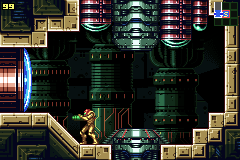
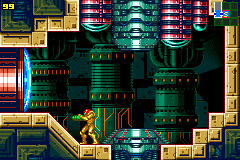
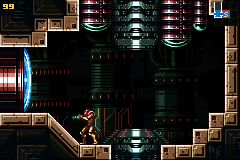
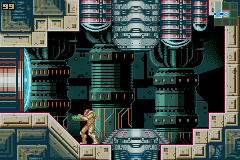
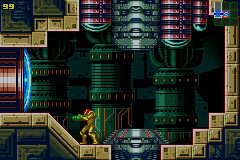
Metroid: Zero Mission
-
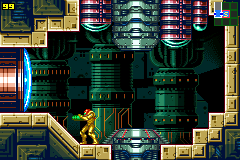 Identity LUT
lutrgb.png -
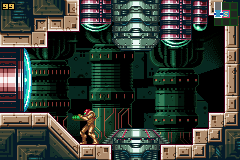 Gambatte / higan / ares
lutrgb-gambatte.png -
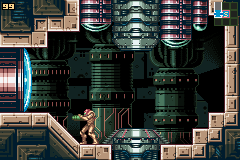 Game Boy Advance
lutrgb-gba.png -
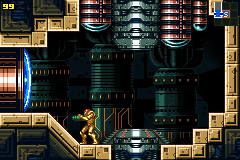 gbaHD consolizer
lutrgb-gbahd.png -
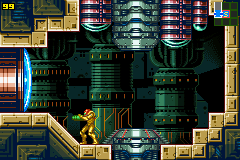 Game Boy Advance SP (AGS-101)
lutrgb-gbasp.png -
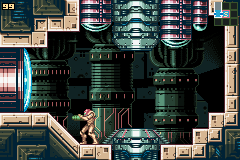 Game Boy Color
lutrgb-gbc.png -
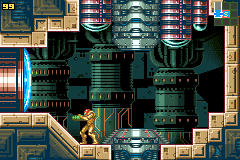 Game Boy Interface (2015–2017)
lutrgb-gbi.png -
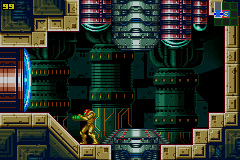 Game Boy Player Start-up Disc
lutrgb-gbp.png -
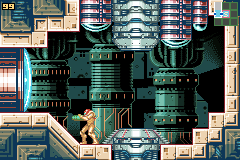 Gameboy Hi-Colour Convertor
lutrgb-hicolour.png -
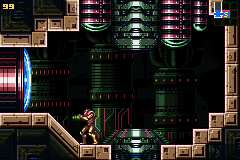 higan / ares
lutrgb-higan.png -
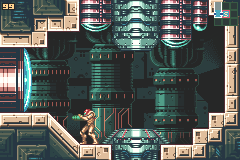 Game Boy Color - Nintendo Switch Online
lutrgb-hiyoko.png -
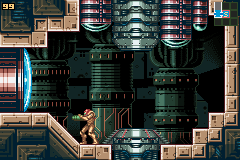 Nintendo DS
lutrgb-nds.png -
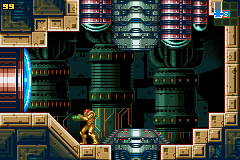 PlayStation Portable
lutrgb-psp.png -
 Game Boy Advance - Nintendo Switch Online
lutrgb-sloop.png -
 Nintendo Switch - OLED Model
lutrgb-switch.png -
 VisualBoyAdvance-M
lutrgb-vba.png -
 VisualBoy
lutrgb-vbc.png -
 Wii U Virtual Console
lutrgb-wiiu.png


Pokémon Sapphire
-
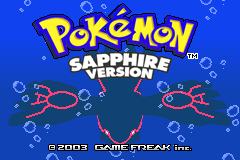 Identity LUT
lutrgb.png -
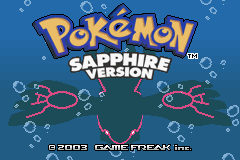 Gambatte / higan / ares
lutrgb-gambatte.png -
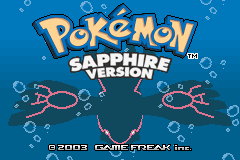 Game Boy Advance
lutrgb-gba.png -
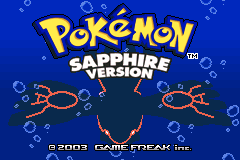 gbaHD consolizer
lutrgb-gbahd.png -
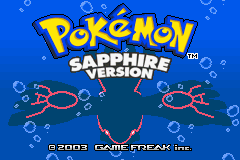 Game Boy Advance SP (AGS-101)
lutrgb-gbasp.png -
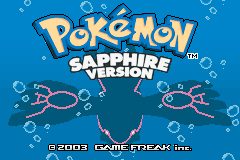 Game Boy Color
lutrgb-gbc.png -
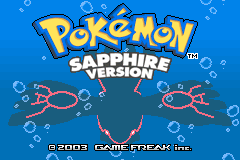 Game Boy Interface (2015–2017)
lutrgb-gbi.png -
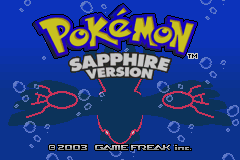 Game Boy Player Start-up Disc
lutrgb-gbp.png -
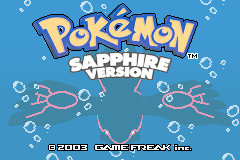 Gameboy Hi-Colour Convertor
lutrgb-hicolour.png -
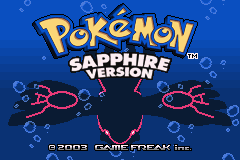 higan / ares
lutrgb-higan.png -
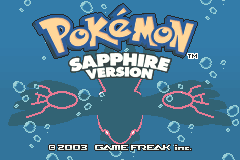 Game Boy Color - Nintendo Switch Online
lutrgb-hiyoko.png -
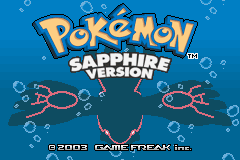 Nintendo DS
lutrgb-nds.png -
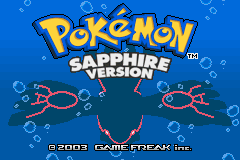 PlayStation Portable
lutrgb-psp.png -
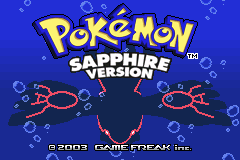 Game Boy Advance - Nintendo Switch Online
lutrgb-sloop.png -
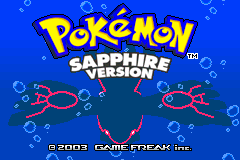 Nintendo Switch - OLED Model
lutrgb-switch.png -
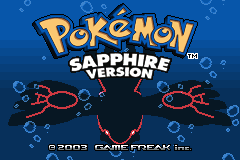 VisualBoyAdvance-M
lutrgb-vba.png -
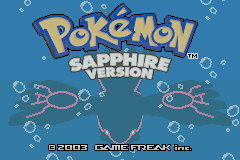 VisualBoy
lutrgb-vbc.png -
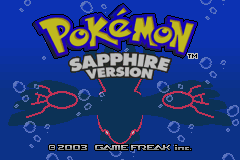 Wii U Virtual Console
lutrgb-wiiu.png


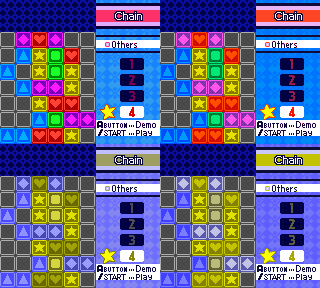
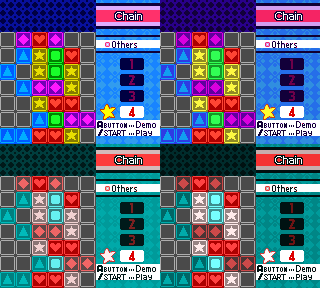
Color blindness
Pokémon Puzzle Challenge
-
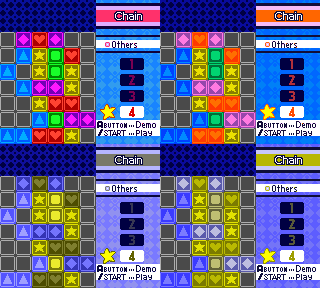 Protanopia
 -
 Deuteranopia
 -
 Tritanopia


Color matrix
Golden Sun
-
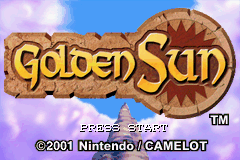 Identity matrix
 -
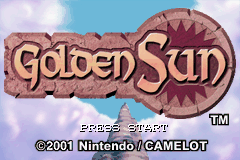 Gambatte / higan / ares
 -
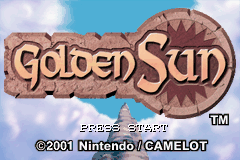 Game Boy Advance / Game Boy Color
 -
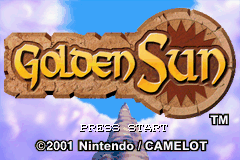 Game Boy Advance SP (AGS-101)
 -
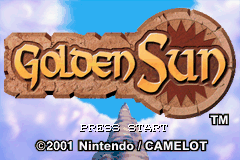 Game Boy Interface
 -
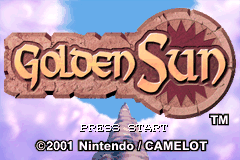 higan / ares
 -
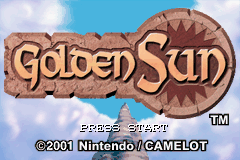 Nintendo DS
 -
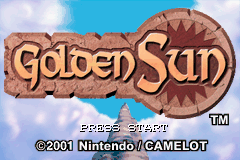 Palm Treo 700p
 -
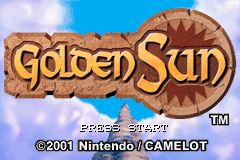 PlayStation Portable
 -
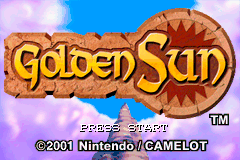 Nintendo Switch - OLED Model
 -
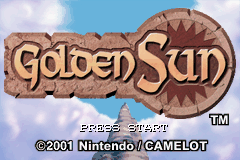 Gameboy Hi-Colour Convertor / VisualBoyAdvance-M


Mario Kart: Super Circuit
-
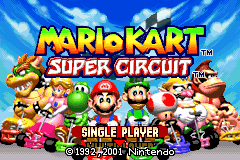 Identity matrix
 -
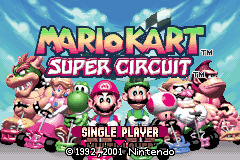 Gambatte / higan / ares
 -
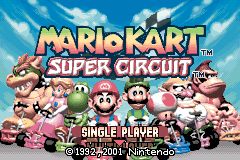 Game Boy Advance / Game Boy Color
 -
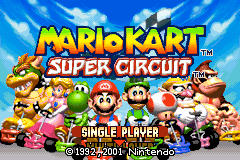 Game Boy Advance SP (AGS-101)
 -
 Game Boy Interface
 -
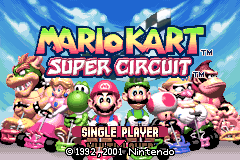 higan / ares
 -
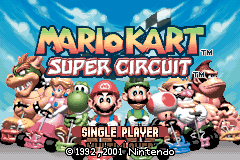 Nintendo DS
 -
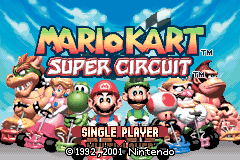 Palm Treo 700p
 -
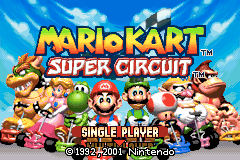 PlayStation Portable
 -
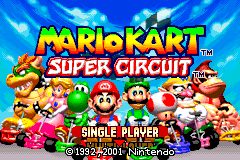 Nintendo Switch - OLED Model
 -
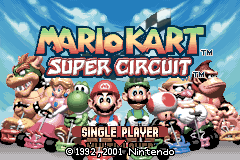 Gameboy Hi-Colour Convertor / VisualBoyAdvance-M


Pokémon Sapphire
-
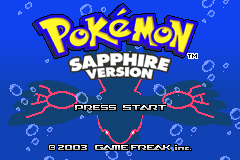 Identity matrix


.png)
.png)


.png)
.png)
